NetSuite Cash Sales Error
***Note, do not use these instructions unless support refers you here. This is for correcting a rare instance with NetSuite where the settings cannot be changed to allow matching customers cannot be used.***
Due to a technical limitation with NetSuite and our API, we are unable to process Cash Sales and Orders separately. We are working toward adding a feature that would allow us to treat them separately. NetSuite will not allow us to add customers automatically.
Instructions
Log into Syncware:
- Navigate to Staging > Orders
- Use the Status dropdown and select Server Error on in filters.
- Make sure that Export To is set to NetSuite2019-CashSales.
- Select the order(s) by checking the box next to the order.
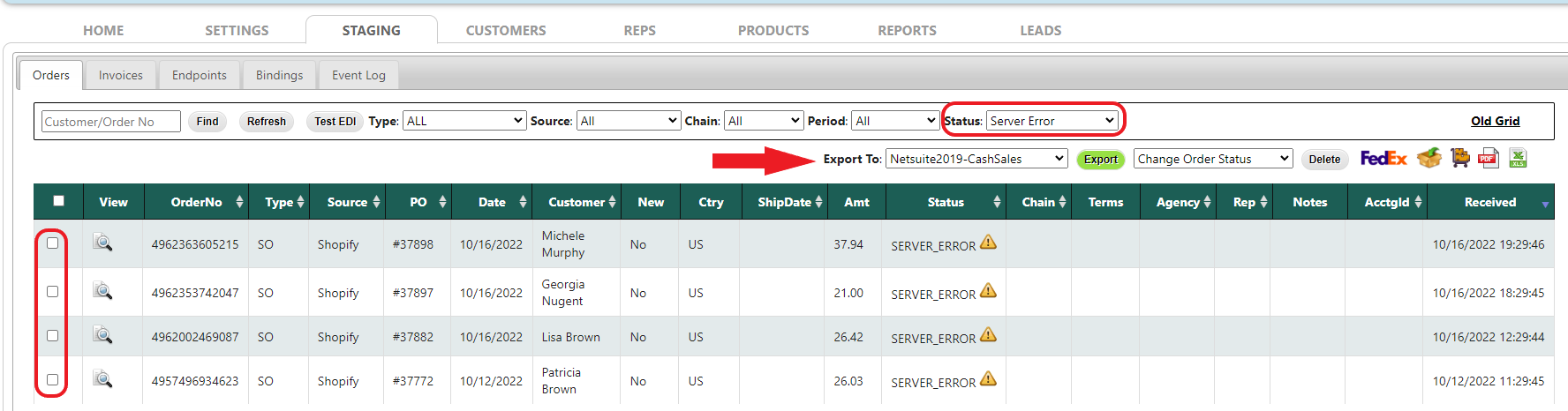
- Change the order Status to MATCH_CUST from the Status dropdown.
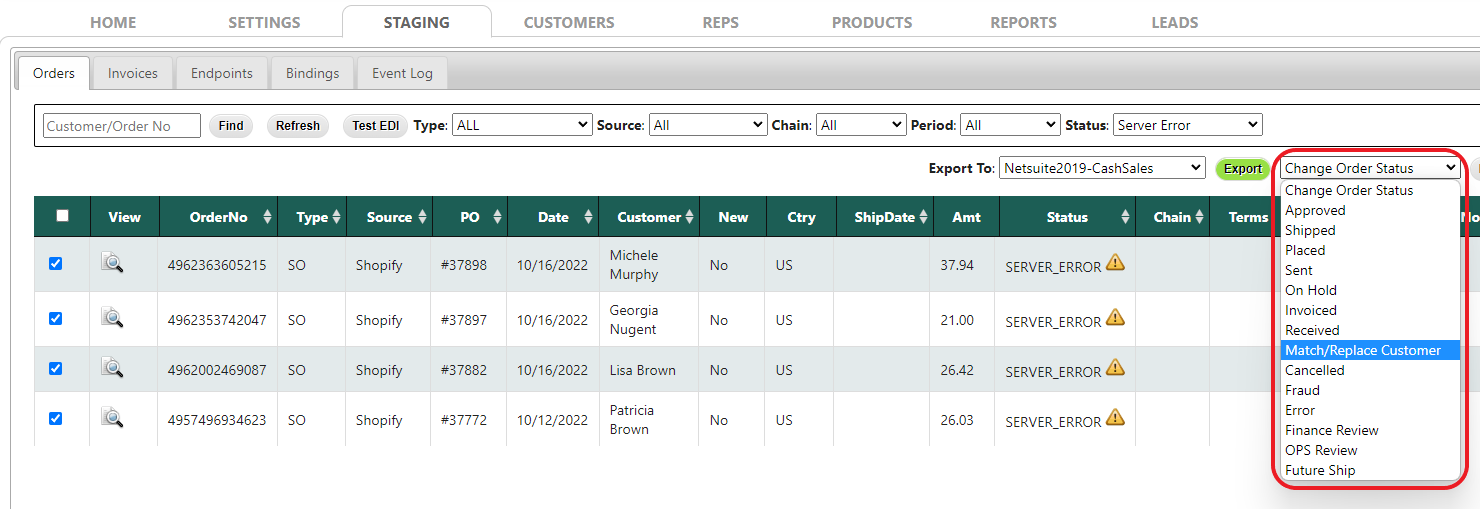
-
Change the filter to Match Customer to locate the orders. Then match the customer using the name to an existing account. If you need to create new accounts, contact support because the configuration will need to be adjusted. If the order does not need a new account, match the customer and export.
